

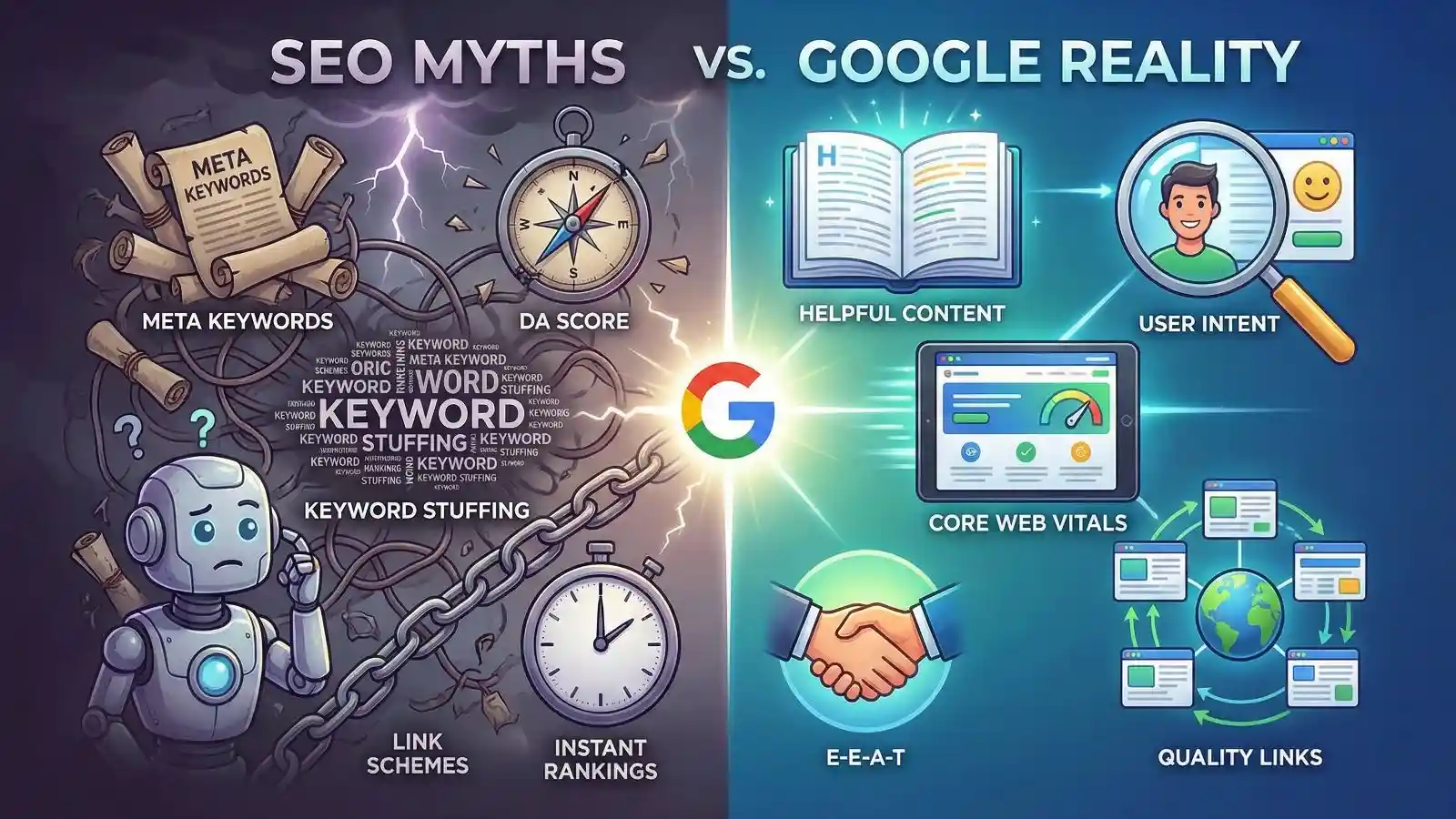
Let’s be honest. Currently, the SEO industry is a mess of misinformation. But the biggest problem is that most “gurus” are guessing.
You search for “ranking factors.” Then, you find 10 different answers. One agency tells you to buy “Profile Creation” links. Also, another says you need to “escape the Google Sandbox.” On top of that, your SEO plugin is screaming at you to hit a word count. But who do you actually trust?
If you follow the wrong advice, then you waste hundreds of hours tweaking things that Google stopped caring about in 2010.
However, that ends today.
The reason is that we are not going to rely on guesses. Instead, we are going to look at the Google Documentation itself.
What is “Google Reality”?
Before we smash the specific myths, you need to understand the mindset.
Google Reality is not about chasing algorithms. It is not about tricking a robot. It is about one simple goal. Satisfying the User.
The reality of modern SEO comes down to E-E-A-T.
- Experience. Do you have first-hand knowledge?
- Expertise. Are you a pro in your field?
- Authoritativeness. Do others trust you?
- Trustworthiness. Is your site safe and honest?
If your strategy is “How do I trick Google into ranking me?”, then you are living in a Myth. But if your strategy is “How do I give the user the best answer?”, then you are living in Google Reality.
In this post, we will look at the biggest SEO myths holding your website back. First, we will look at the myth. Next, we will see the reality. Finally, I will give you the direct link to Google’s documentation so you can check it yourself or read it in detail.
Myth 1. “You Must Use the Meta Keywords Tag”
The Myth Basically, many old-school SEOs still think you need to fill the <meta name="keywords"> tag in your website’s header. They stuff it with 20 comma-separated keywords.
The Reality Stop doing this. Actually, Google ignored this tag way back in 2009. In fact, using it can actually hurt you. This is because it tells your competitors exactly what keywords you are targeting.
So, don’t waste five minutes filling out that box in your CMS. It is useless.
Google Documentation: “Google does not use the keywords meta tag in web ranking.”
Source: Google Search Central Blog – Google does not use the keywords meta tag
Myth 2. “Duplicate Content Will Get You Penalized”
The Myth Usually, people are terrified. They think that if they have two similar pages (or copy a paragraph from another site), Google will hit them with a “Penalty.” They believe Google will ban their site.
The Reality Believe it or not, there is no such thing as a “Duplicate Content Penalty.”
Specifically, Google simply filters the results. If it sees two identical pages, then it just picks one to show. It hides the other. It does not destroy your entire website ranking unless you are scraping content maliciously to be deceptive.
Traffic Magnet Tip. Make sure to use “Canonical Tags” if you have similar pages. This tells Google which one is the “Original.”
Google Documentation: “Duplicate content on a site is not grounds for action on that site unless it appears that the intent of the duplicate content is to be deceptive.”
Source: Google Search Central – Duplicate Content Guidelines
Myth 3. “H1 Tags Don’t Matter (Or You Can Use Many)”
The Myth Some say heading tags are just for style. Others say you can use five H1 tags on a page if you want.
The Reality Technically, Google can read a page with multiple H1s. However, it is terrible for structure.
Think of your page like a book. If a book has five titles, you don’t know what it is about. The H1 is your main headline. It helps Google understand the primary topic of the page. So, use exactly one H1 per page.
Google Documentation: “Google uses heading tags to understand the structure of the text on a page.”
Source: Google Search Central – SEO Starter Guide
Myth 4. “Longer Content Always Ranks Higher”
The Myth Almost everyone believes you must write 2,000 words to rank #1. So, they fill their blogs with fluff. They just want to hit a word count.
The Reality Actually, word count is not a ranking factor.
If you can answer the user’s question in 300 words, then Google prefers that over a 2,000-word essay that rambles. The goal is “Satisfying the User.” It is not “Filling the Page.”
Don’t write more. Write better.
Google Documentation: “Word count is not a ranking factor.” — John Mueller.
Source: Google Search Central – Creating Helpful Content
Myth 5. “You Need Green Lights on Yoast/RankMath”
The Myth This is the most annoying one. People spend hours trying to get a “Green Light” on their SEO plugin. They rewrite sentences until they sound robotic just to please the tool.
The Reality Here is the truth. Google does not have access to your Yoast score. It does not care if your light is green or red.
These plugins are just checklists. They are guessing what Google wants. But they are not Google. If your content reads well for a human but gets an Orange light, then ignore the light. Publish the post.
Google Documentation: “Our systems aim to prioritize content that seems most helpful… based on expertise, experience, authoritativeness, and trustworthiness (E-E-A-T).”
Source: Google Search Central – E-E-A-T Guidelines
Myth 6. “Profile Creation & Directory Submissions Boost Ranking”
The Myth Currently, there is a massive industry of “SEO Packages.” They sell 500 “Profile Creation” links. Basically, you go to random forums. You create a user profile. Then, you drop your website link in the bio. People think this builds “Domain Authority.”
The Reality Let’s be clear. This is a waste of time.
Google knows that a profile link on a site you never use is worthless. In fact, John Mueller has confirmed that these links are “not enough” to help you rank. Often, Google just ignores them completely. This is because they look unnatural.
So, stop buying “50 backlinks for $5.” Instead, earn one real link from a relevant blog in your industry.
Google Documentation: “Links intended to manipulate PageRank… includes low-quality directory or bookmark site links.”
Source: Google Search Central – Spam Policies (Link Spam)
Myth 7. “Older Domains Rank Better (Domain Age)”
The Myth Many people believe that a domain registered in 2010 will automatically outrank a domain registered in 2026. So, they spend thousands buying “Aged Domains.” They think it is a shortcut.
The Reality Actually, domain age is not a ranking factor.
Think about it. If I buy an old domain today but it has empty pages, why should Google rank it? Google cares about the content right now. It cares about the links pointing to it right now. It does not care how long the URL has existed in a database.
Don’t overpay for old names. Focus on fresh value.
Google Documentation: “Domain age is not a ranking factor.” — John Mueller.
Source: Google Search Central – How Search Works
Myth 8. “Social Media Likes Improve SEO Rankings”
The Myth If you get 1,000 likes on Facebook, your Google ranking will jump up. This is what many social media agencies sell you.
The Reality Unfortunately, social signals (Likes, Shares, Retweets) are not a direct ranking factor.
The reason is that Google cannot crawl every private Facebook profile. It cannot see every Instagram story. However, there is a catch. If your content goes viral on social media, then more people see it. Resultingly, more bloggers might link to it from their websites. Those backlinks help you rank. But the likes themselves? They do nothing for the algorithm.
Google Documentation: “Social signals are not a direct ranking factor.”
Source: Google Search Central YouTube – Matt Cutts on Social Signals
Myth 9. “High Domain Authority (DA) Helps You Rank”
The Myth Basically, every SEO tool gives your website a score from 0 to 100. People think that if they increase this number, Google will rank them higher. So, they obsess over “increasing DA.”
The Reality Here is the hard truth. Google does not use Domain Authority.
DA is a metric invented by a software company (Moz). It is not a Google metric. Google uses its own algorithms like PageRank. You can have a DA of 10 and outrank a site with a DA of 90 if your content is better.
Stop chasing a vanity number. Start chasing user satisfaction.
Google Documentation: “We don’t use Domain Authority. We don’t have a ‘website authority’ score.” — John Mueller.
Source: Google Search Central Twitter (Search Liaison)
Myth 10. “Guest Posting on High DA Sites is the Best Strategy”
The Myth Usually, website owners think “I need to put my content on a High DA website.” They believe this will transfer “link juice” and skyrocket their ranking.
The Reality Actually, this can be dangerous.
Google warns against “large-scale article marketing” or guest posting just for links. If the content is irrelevant or clearly paid for, Google will ignore the link. Worse, they might penalize you for a “Link Scheme.”
A link from a small, relevant blog in your niche is worth 10x more than a link from a generic “High DA” news site.
Google Documentation: “Google does not want you to build links for the sake of SEO. Links should be a result of great content.”
Source: Google Search Central – Link Spam Guidelines
Myth 11. “New Sites Are Stuck in the Google Sandbox”
The Myth New website owners often complain. They say “My site is perfect but it won’t rank because I am in the Sandbox.” They believe Google has a secret probation period where new sites are blocked from ranking for 6 months.
The Reality Officially, Google says “The Sandbox” does not exist.
However, John Mueller has admitted that it takes time for algorithms to “learn” a new site. It is not a penalty. It is simply a lack of trust. Google needs to see consistent updates and backlinks before it trusts you for high-traffic keywords. So, don’t blame the Sandbox. Blame your lack of history.
Google Documentation: “It can take a bit of time for search engines to catch up with your content, and to learn to treat it appropriately.”
Source: Google Search Central – How Search Works
Myth 12. “A Sitemap Guarantees Your Pages Get Indexed”
The Myth Many people think that once they upload an sitemap.xml to Google Search Console, their job is done. They believe this forces Google to index every single URL in that file.
The Reality Unfortunately, a sitemap is just a “suggestion,” not a command.
Google uses the sitemap to discover your pages, but it decides to index them based on quality. If your content is thin or duplicate, Google will ignore the sitemap entry. Submitting a URL does not guarantee it will appear in search results.
Google Documentation: “Using a sitemap doesn’t guarantee that all the items in your sitemap will be crawled and indexed.”
Source: Google Search Central – Sitemap Overview
Myth 13. “Robots.txt Hides Pages from Google”
The Myth Developers often try to hide a private page (like a staging site or admin panel) by adding Disallow: /private-page/ to their robots.txt file. They think this keeps it out of Google’s index.
The Reality This is dangerous.
Robots.txt only tells Google “Don’t crawl this.” It does not say “Don’t index this.” If another website links to your private page, Google will index the URL without crawling the content. To truly hide a page, you must use a noindex tag, not robots.txt.
Google Documentation: “A robots.txt file is not a mechanism for keeping a web page out of Google… If you want to keep a web page out of Google, block indexing with noindex.”
Source: Google Search Central – Robots.txt Intro
Myth 14. “Canonical Tags Force Google to Rank a Specific URL”
The Myth SEOs use the rel="canonical" tag to tell Google which version of a page is the “Master Copy.” They think Google must obey this tag.
The Reality Actually, a canonical tag is just a “hint.”
Google respects it most of the time. However, if Google thinks you made a mistake (like canonicalizing a helpful page to an irrelevant one), it will ignore your tag and choose its own canonical. You cannot force Google’s hand.
Google Documentation: “Indicating a canonical preference is a hint, not a rule.”
Source: Google Search Central – Canonicalization
Myth 15. “WordPress Ranks Better Than Wix/Shopify (CMS Ranking Factor)”
The Myth There is a massive belief that Google hates website builders like Wix or Squarespace and “loves” WordPress. Agencies use this to sell expensive WordPress migrations.
The Reality Here is the truth. Google does not care what CMS you use.
Google reads HTML. Whether that HTML is generated by WordPress, Wix, or a custom Python script, it looks the same to the bot. As long as the page loads fast and has good content, the platform is irrelevant.
Google Documentation: “There’s no ranking boost for using WordPress… There’s no fundamental SEO difference between mainstream CMSs.” — John Mueller.
Source: Search Engine Roundtable – Google on Best CMS for SEO
Myth 16. “You Must Use ‘LSI Keywords’ to Rank”
The Myth Old-school SEO tools tell you to sprinkle “Latent Semantic Indexing” (LSI) keywords to help Google understand your content. They give you a list of related words and say “use these or you won’t rank.”
The Reality This is pure fiction.
Google has confirmed multiple times that “LSI Keywords” simply do not exist in their algorithm. LSI is an old patent from the 1980s that has nothing to do with modern search. Just write naturally using synonyms; don’t obsess over a magical LSI list.
Google Documentation: “There’s no such thing as LSI keywords — anyone who’s telling you otherwise is mistaken, sorry.” — John Mueller.
Source: Twitter/X – John Mueller on LSI Keywords
Myth 17. “You Need to Disavow ‘Toxic Backlinks’”
The Myth SEO tools often show you a scary warning: “You have 50 Toxic Backlinks! Disavow them now or lose ranking!” Site owners panic and use Google’s Disavow Tool daily.
The Reality Stop. You are wasting your time.
“Toxic Backlinks” is a marketing term invented by SEO tools, not Google. Google is smart enough to ignore spammy links from random sites. You only need to use the Disavow Tool if you have a “Manual Action” penalty. Otherwise, ignore them.
Google Documentation: “Internally, we don’t have a notion of toxic backlinks… for the most part, we work really hard to try to just ignore them.” — John Mueller.
Source: Search Engine Journal – Google on Toxic Links
Myth 18. “Text-to-HTML Ratio is a Ranking Factor”
The Myth Geeky SEOs will tell you that if you have too much code and not enough text (a low Text-to-HTML ratio), Google will hate your site.
The Reality Google has repeatedly said this does not matter.
They do not count the percentage of code vs. text. They only care if the page loads fast and the visible text is helpful. Don’t delete useful code just to fix an imaginary ratio.
Google Documentation: “Text to HTML ratio – is that a ranking factor? No.” — John Mueller.
Source: Search Engine Journal – Code To Text Ratio
Myth 19. “Adding Keywords to Your Business Name Boosts Ranking (GMB)”
The Myth Basically, you see a plumber named “Joe’s Plumbing.” Then, an agency tells him to change his Google Business name to “Joe’s Plumbing – Best Plumber in New York & Cheap Drain Cleaning.” They say this is the secret to ranking #1 on Maps.
The Reality Warning. This works for about two weeks. Then, Google suspends you.
Google’s Guidelines clearly state that your online name must match your real-world name exactly. Stuffing keywords into your business title is called “Name Spam.” Competitors can suggest an edit and have your listing removed instantly. It is not worth the risk.
So, keep it clean. If your legal name doesn’t have keywords, don’t fake it.
Google Documentation: “Your name must not include… Marketing taglines… or Service information.”
Source: Google Business Profile – Guidelines for representing your business
Myth 20. “Daily Google Business Posts Improve Rankings”
The Myth Many owners think that if they don’t post on their Google Business Profile every single day, their ranking will drop. They treat it like Instagram.
The Reality Actually, GMB Posts do not directly boost your ranking position.
Posts are for conversion, not ranking. They help a user choose you after they find you (by showing an offer or event). But Google does not say, “This guy posted today, so let’s move him to #1.” Focus on reviews and accurate categories instead.
Google Documentation: “Posts allow you to communicate with your existing and potential customers.” (Note: Nowhere does it list “posting frequency” as a ranking factor).
Source: Google Business Profile Help – About Posts
Myth 21. “Bounce Rate is a Ranking Factor”
The Myth You open Google Analytics. You see a high “Bounce Rate” (people leaving after one page). Immediately, you panic because you think Google is punishing you for it.
The Reality Relax. Google does not use Bounce Rate in its ranking algorithm.
Think about it. If I search for “What is the capital of India?” and I click your blog, see “New Delhi,” and leave immediately—that is a 100% bounce. But I was happy! I got the answer. Google knows this. It uses “Engagement Metrics,” not raw Bounce Rate.
Google Documentation: “We don’t use bounce rate in search rankings.” — John Mueller.
Source: Google Search Central – Bounce Rate Myth
Myth 22. “You Must Have Short, Keyword-Rich URLs to Rank”
The Myth Basically, every SEO checklist tells you that your URL must be short. They tell you it must contain your exact keyword. So, you see site owners changing old URLs just to make them look “pretty.”
The Reality Please, do not do this.
Actually, keywords in the URL are a very tiny ranking factor. Google uses them primarily to help users understand the link. However, the impact on ranking is minimal. In fact, John Mueller has said that changing a URL just for SEO keywords is usually bad idea. The reason is that it breaks your old links. Also, it resets your social share counts.
If your URL is readable, then leave it alone. Don’t break a working link just to remove a few characters.
Google Documentation: “Keywords in URLs are overrated for Google SEO… stick to something that works for your users.” — John Mueller.
Source: Google Search Central – URL Structure Guidelines
Vanity Metrics vs Real Metrics
Don’t be fooled by software companies. Focus on what Google actually tracks.
| Metric | Tool | Does Google Use It? |
| Domain Authority (DA) | Moz | NO |
| Authority Score (AS) | Semrush | NO |
| PageRank | YES (Internal only) | |
| Core Web Vitals | YES (Official Factor) |
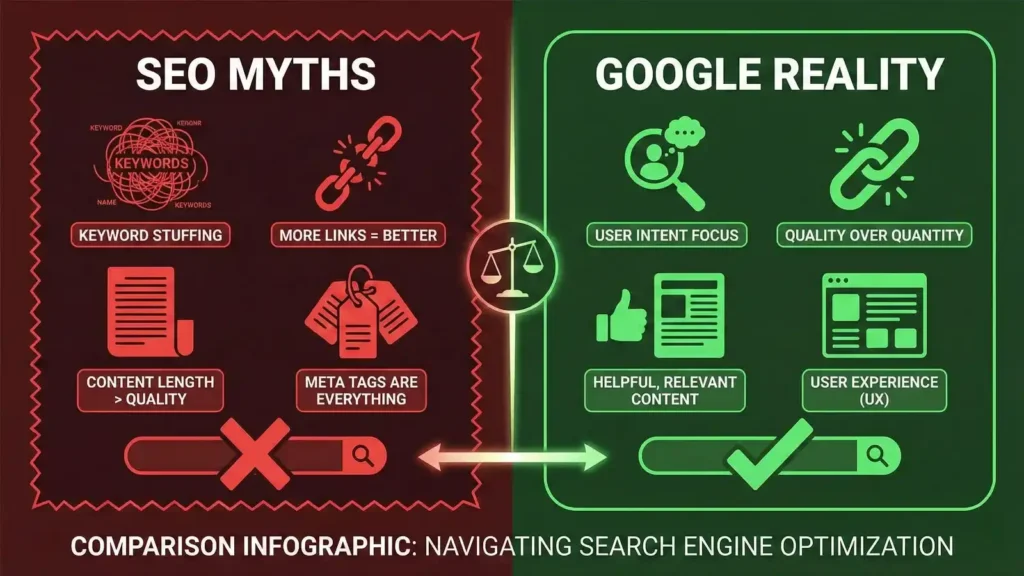
Wrap Up
SEO is simple. But people make it complicated.
You have the official links above. So, the next time an agency tries to sell you “High DA Backlinks,” send them this article.
Stop chasing ghosts. Start building a real brand.
Do the needful. Check your strategy today.













Leave a Reply
You must be logged in to post a comment.